Plugins
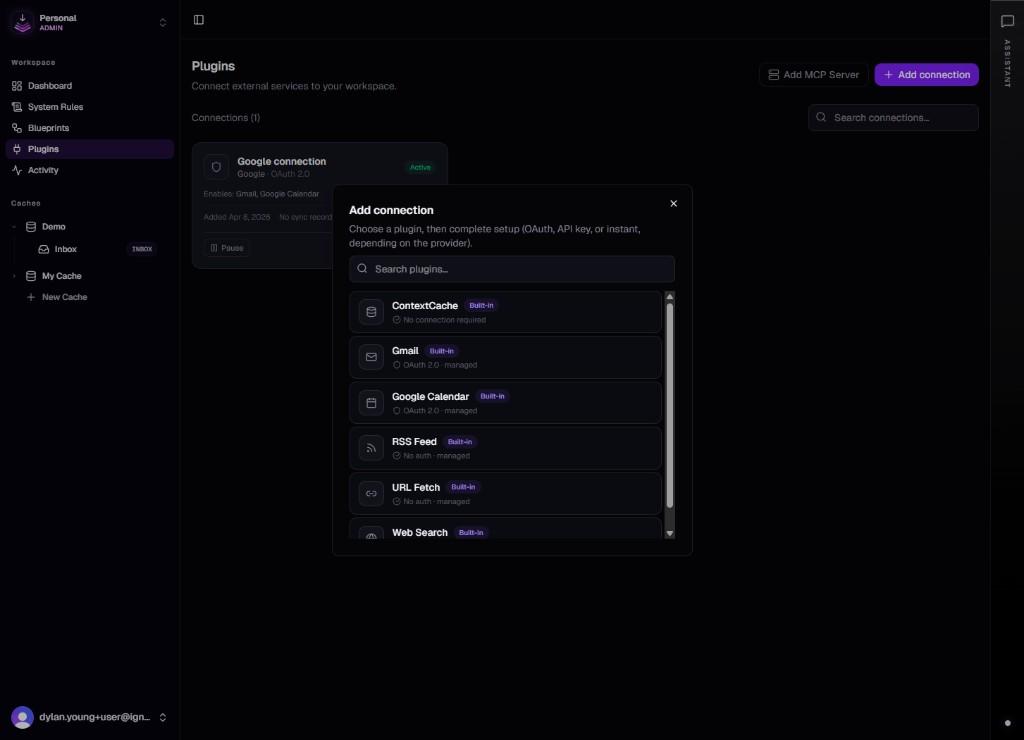
Plugins are the catalog of integrations ContextCache can work with. Each plugin describes a service, how authorization works, and the actions blueprints and agents can call. Typical examples include Gmail and Google Calendar. One plugin per service; each account can add one or more connections, each with its own identity.
What you see in the app
Open Plugins in the workspace (/dashboard/plugins). Legacy bookmarks that used the "Connections" path redirect here so OAuth callbacks remain stable. From this screen you start OAuth for a service or manage existing connections.
Which integrations appear depends on what the deployment enables. Additional services are added as they ship.
Plugins vs connections
The plugin describes what the integration is and which actions exist. A connection describes which account, which tokens, and which workspace. You can hold several connections to the same plugin, for example personal Gmail, work Gmail, and a client account. Each connection is isolated for blueprints and sync jobs.
See Connections for detail.
MCP and other tool surfaces
External MCP servers act as another kind of tool provider: your editor or assistant connects through MCP, while in-app plugins handle hosted OAuth services. For wiring ContextCache's own MCP server into clients, start with MCP Server.
Using plugins in blueprints
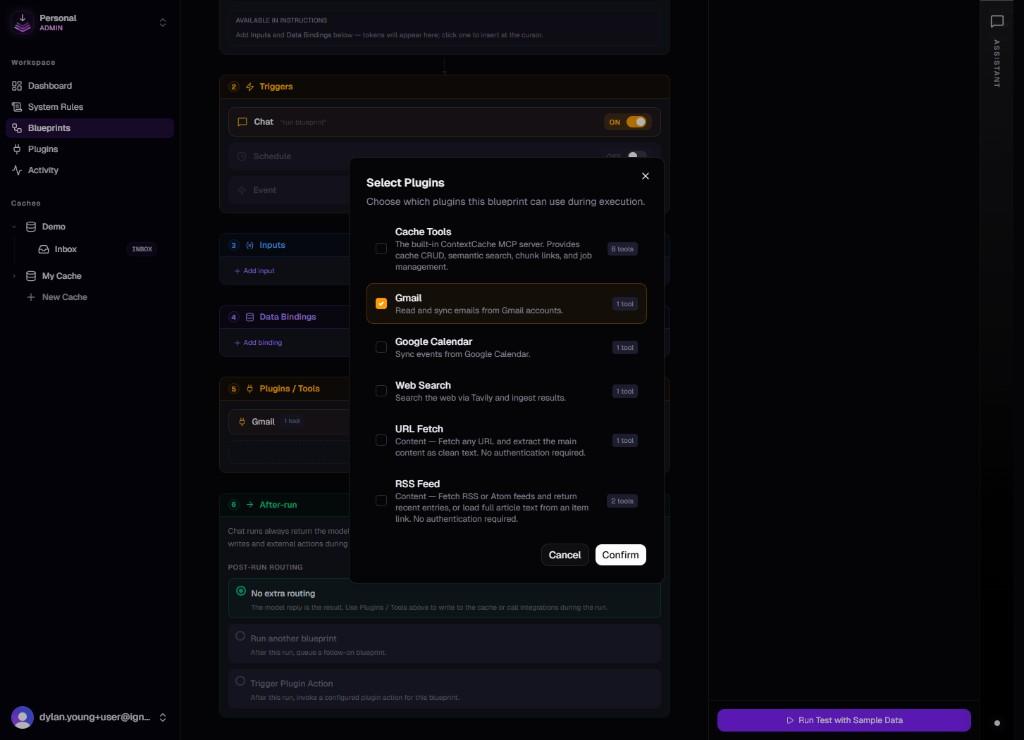
Blueprints and agents reference a connection, not the raw plugin, so each run uses the correct credentials and scopes. Connect the service first, then select that connection in the builder. See Blueprints.
See also
- Automations — overview of blueprints, plugins, and connections.
- Dashboard overview — where Plugins sits in the sidebar.