Blueprints
A blueprint is a reusable workflow that combines instructions, typed inputs, data from your cache or connections, and outputs. Each blueprint is versioned so you can edit, publish, and run the same workflow repeatedly without rewriting it.
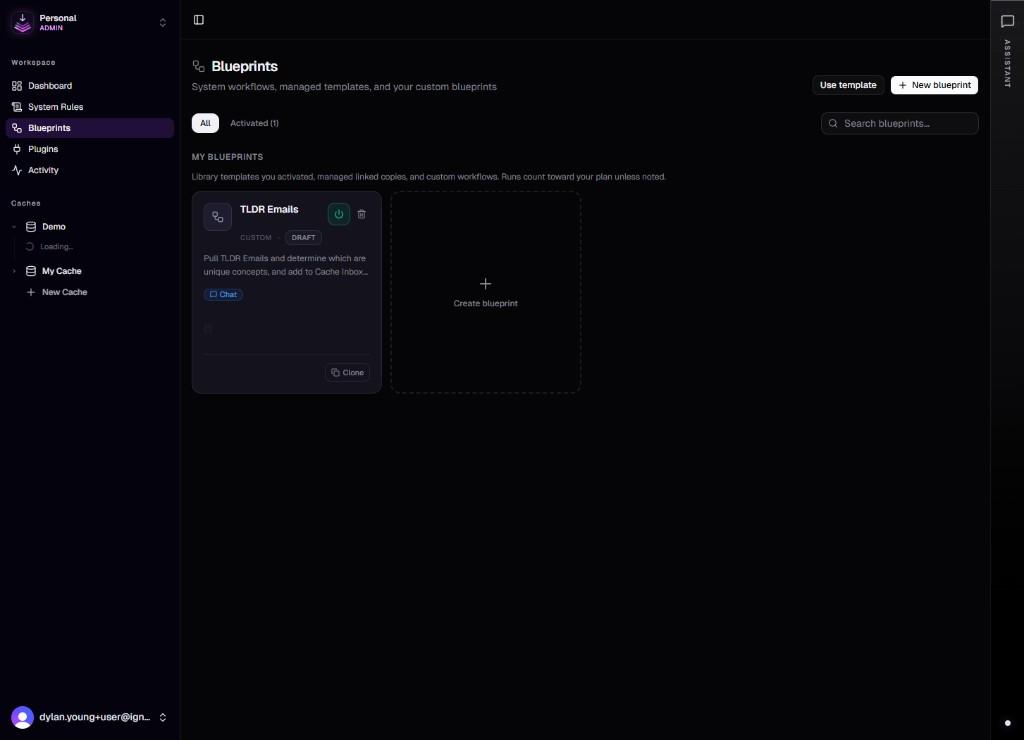
What a blueprint contains
A blueprint ties the following together:
- Instructions — the prompt document, versioned over time.
- Inputs — typed parameters the run must supply or resolve.
- Data bindings — live queries or rows pulled from the cache at runtime.
- Plugins and connections — optional access to external systems.
- Triggers — chat, schedule, events, other workflows, or MCP calls.
- Outputs — a chat reply, new chunks, tasks, or another blueprint to chain into.
Prompts compose in a fixed order at runtime: system or cache rules, then blueprint instructions, then resolved inputs and data bindings.
Where to work with blueprints
Open Blueprints in the workspace (/dashboard/blueprints) to browse the built-in catalog, edit or draft new definitions, and inspect versions. Tenant admins can adjust certain system definitions where the product allows it.
For the catalog of workflows that ship with the product, see the Blueprint Library.
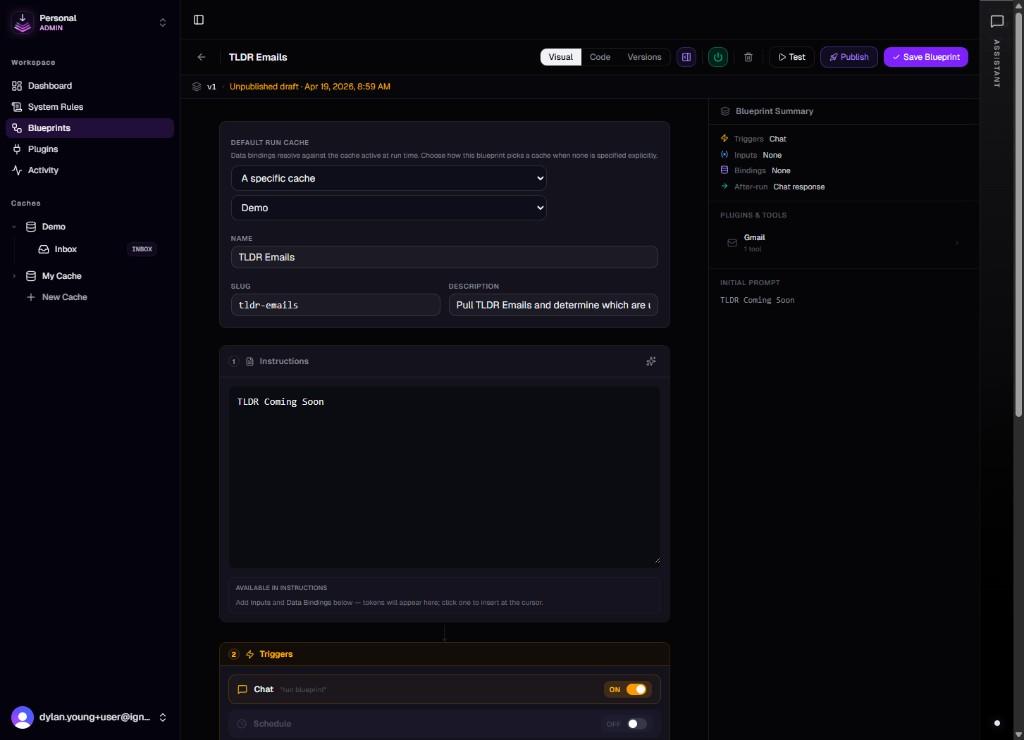
Triggers and runs
How a blueprint starts depends on its configuration. Triggers include chat, schedules, events such as integration activity, another blueprint, and MCP when exposed. Each completed run counts against your team's plan limits. See the v0.1 release notes for baseline behavior and billing configuration.
Plugins and connections
When a blueprint needs Gmail, Google Calendar, or another service, it uses a connection (an authenticated instance of a plugin). Complete OAuth from Plugins first, then select the right connection inside the blueprint configuration.
When to build a blueprint
Reach for a blueprint when a task meets any of these conditions:
- You run it more than once and want consistent inputs, outputs, and tone each time.
- It depends on content already in the cache or on an external system you have connected.
- You want it to run on a schedule, from chat, or from another workflow.
- Multiple people on the team should be able to run it without repeating setup steps.
For a one-off task, chat is usually faster. For anything repeatable, a blueprint pays back the setup time.
Heads up: Each run counts against your plan's blueprint run limit. When setting up schedules (especially frequent ones) or chaining blueprints together, keep your monthly budget in mind so you don't hit the cap mid-cycle.
See also
- Getting Started — first cache, chat, and MCP.
- Chat — invoking blueprints inline.
- Hook API — HTTP access to cache data.